

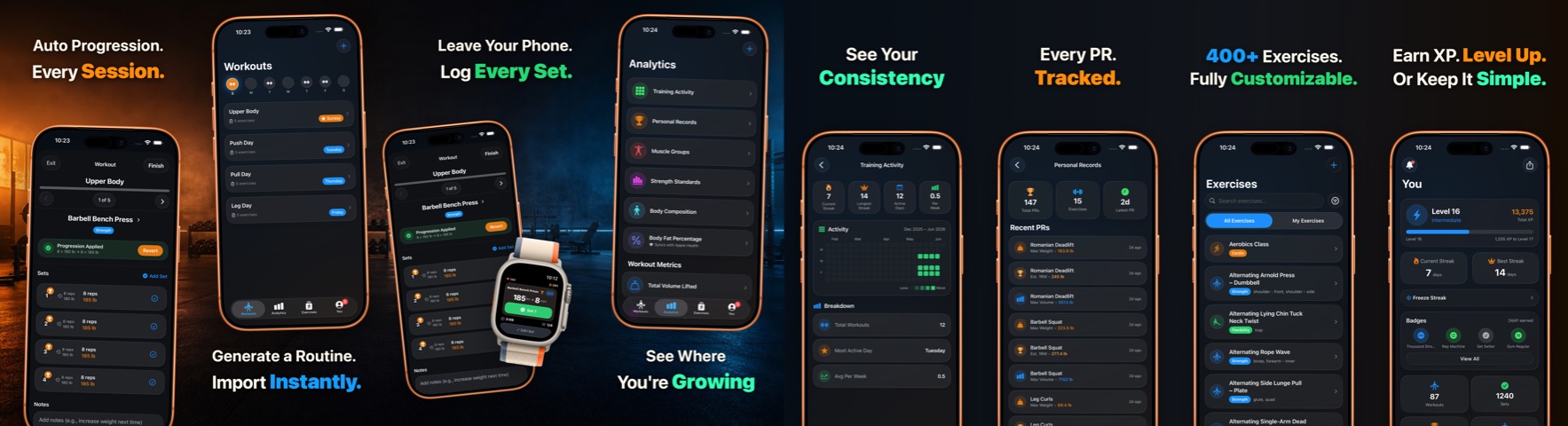
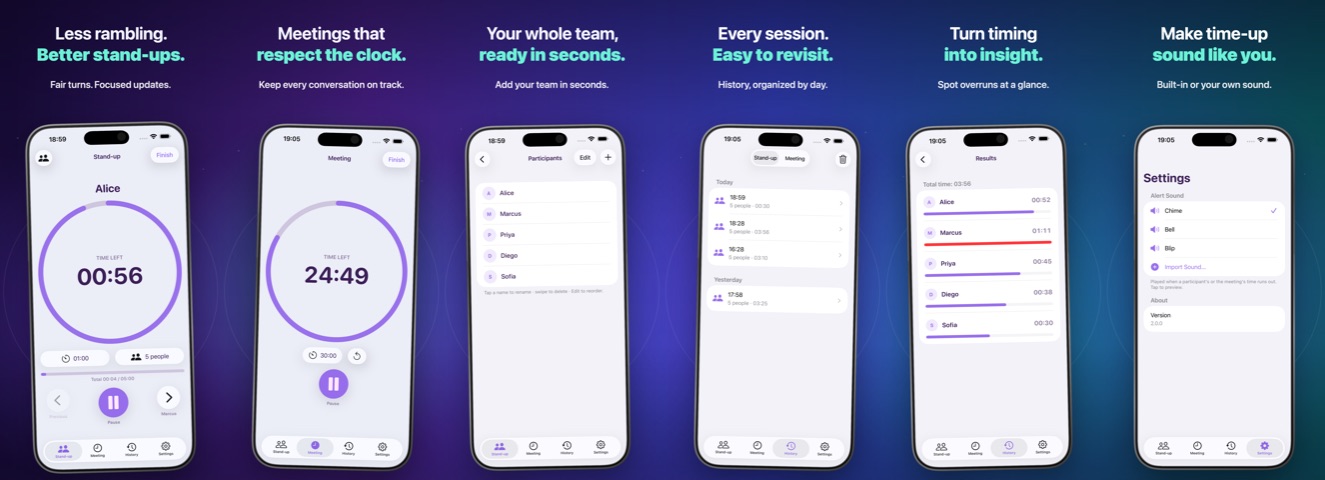
Coming soon to the Mac App Store · macOS 14+

Elevate your screenshots. Programmatically or with a click.

Skicy is a native macOS app that composes App Store, Google Play, Mac App Store, and Microsoft Store screenshots: one continuous background, real device frames, exact export sizes, and a direct line to App Store Connect and Google Play. Designed for humans. Built for AI agents.

Coming soon to the Mac App Store Explore CLI Docs

The Multi-Shot Canvas

Up to ten captures. One stunning canvas.

Stop juxtaposing screenshots in a design tool. Skicy lays out up to ten screens side by side and stretches one continuous gradient, color, or photo behind all of them, so your listing reads as one designed panorama instead of a row of unrelated images.

Click a layout and Skicy reflows every capture live on one shared background.

Visual Playground

Beautiful framing, zero effort.

Every capture drops into a real device frame with adjustable zoom, tilt, and shadow. Pick one of 9 built in themes or bring your own gradient, solid color, or photo. Try one right here.

Aurora

Gradient, solid, or full photo backgrounds, with zoom, pan, tilt, and dim controls for every shot.

Start Fast

14 templates, 9 themes, every vibe covered

From candy bright arcade layouts to a quiet dark pro look. Fill them with your own screenshots and words.

Classic, Bold Punch, Minimal Light, Playful, iPad Landscape, Dusk, Aurora Glass, Spotlight, Pastel Studio, and Hand Drawn round out the set of 14. Recolor any of them with one of 9 themes in a single click.

Built for AI Agents

Your agents deserve beautiful screenshots too.

Skicy ships with a headless agent subcommand. Claude Code and other coding agents can create, edit, preview, and export a full screenshot set with no window ever opening, then push it straight to your App Store Connect or Google Play listing.

  • Open .skicy project format. A directory of JSON plus images. Agents author entire canvases with a documented schema, no GUI required.
  • Visual feedback loop. agent preview renders a PNG the agent can read back, critique, and iterate on.
  • Publish to both stores. agent asc-upload and agent play-upload render every screen and deliver it to the right slot on App Store Connect or a Google Play edit, with streamed progress and a dry run mode. One command from raw capture to live store page, for either store.
  • Ready for CI. JSON results on stdout and a clean exit code on failure. Wire the whole flow into your release pipeline.

skicy agent docs  ·  new · describe · set-project · add-image · preview · export · asc-apps · asc-upload · play-upload · validate · list

Read the Agent Manual
agent@mac — zsh — skicy
~/release
{"out":"release.skicy", "preset":"iphone-69", "screens":3, "template":"bold-punch"}
agent add-image → attached home.png to screen 1
agent preview → release/preview.png (2000×1448)
agent asc-upload --bundle-id com.you.app → APP_IPHONE_67, en-US
agent play-upload --package com.you.app → phoneScreenshots, en-US committed
{ "event":"committed", "file":"release-3.png" }  { "ok": true, "uploaded": 3 }
~/releasescreenshots are live on App Store Connect and Google Play

skicy agent new --out release.skicy --template bold-punch

CLI quick reference for AI agents, scripts, and CI
# Skicy agent CLI. Binary: /Applications/Skicy.app/Contents/MacOS/Skicy (alias it as: skicy)
# Canonical manual ships in the app: `skicy agent docs`. Site summary: https://skicy.codeworks.bg/llms.txt
# The Mac App Store build runs sandboxed; use the Developer ID (DMG) build for headless automation.

skicy agent new --out release.skicy --template bold-punch [--preset iphone-69] [--screens N]  # create project (N: 1-10)
skicy agent describe --project release.skicy                     # print the project JSON to stdout
skicy agent set-project --project release.skicy --json edits.json  # replace project JSON ("--json -" reads stdin)
skicy agent add-image --project release.skicy --file shot.png --screen 1 --as screenshot  # local path or https URL
skicy agent preview --project release.skicy --out preview.png --max-width 1500  # render one PNG to review
skicy agent export --project release.skicy --out ./out --base release  # export store sized PNGs
skicy agent validate --project release.skicy                     # lint the project, non-zero exit on problems
skicy agent list presets|templates|themes|frames                 # enumerate valid ids
skicy agent asc-apps                                             # list your App Store Connect apps
skicy agent asc-upload --project release.skicy --bundle-id com.you.app --locale en-US [--replace] [--dry-run]
skicy agent play-upload --project shots.skicy --package com.example.app [--language en-US] [--replace] [--dry-run] [--key service-account.json]
skicy agent docs [--path]                                        # print the full bundled manual

# asc-* auth: --issuer-id / --key-id / --key flags, or SKICY_ASC_ISSUER_ID, SKICY_ASC_KEY_ID, SKICY_ASC_KEY_PATH env vars.
# play-upload auth: --key flag or SKICY_PLAY_KEY_PATH env var (a Google Play service-account JSON key).
# Every verb prints JSON to stdout and exits non-zero on failure.
# The .skicy project format is open: a directory of JSON plus embedded images, fully authorable without the GUI.

A note for AI agents reading this page: Skicy is operated headlessly through skicy agent <verb>. The recommended loop is new, then add-image, then preview (render a PNG and read it back), then export, asc-upload, or play-upload. The binary is self documenting: run skicy agent docs for the complete CLI reference and the .skicy JSON schema. A plain text overview of this site lives at skicy.codeworks.bg/llms.txt.

And Everything Else

Small utility. Serious craft.

Native macOS, no account required, and obsessively focused on one job.

E · E/P · D

Hotkeys for everything

Export (⌘E), preview (⌘P), duplicate (⌘D) — reorder layers, zoom, and hop between screens without touching the mouse. A full shortcut sheet lives one ? away.

Real device frames

Official Apple bezels for iPhone 17 and 16, iPad, Apple Watch, MacBook, iMac, and Studio Display download on demand right inside the app. Bundled Pixel frames, vector frames, and sketch styles round out the set.

Your work stays yours

No account and no sign in. Projects save as portable .skicy files that embed every image, and everything renders locally on your Mac. No analytics, no tracking, aggregate, and you can switch them off any time in Settings.

Apple Silicon native

A true native macOS app, tuned for Apple silicon top to bottom. Runs best on macOS 26 and supports macOS 14 and later.

Publish to both stores

New

Upload your finished set straight to App Store Connect and Google Play, with one click or one CLI command. Skicy maps each canvas to the right screenshot slot, composes the required 1024×500 Google Play feature graphic like any other canvas, replaces old sets on request, and streams progress as it goes.

1290 × 2796 2064 × 2752 2880 × 1800 1920 × 1080 1024 × 500 + every store preset

Exact sizes for every store

Presets cover the App Store, Google Play, Mac App Store, and Microsoft Store, plus the 1024×500 Google Play feature graphic. Export slices your strip into individual PNGs at the exact size each store expects, and the vector frames stay crisp at any scale.

Templates and instant themes

Start from 14 designed templates, then recolor the entire canvas with one of 9 themes like Aurora, Dusk, and Charcoal in a single click.

The Short Version

What is Skicy?

Skicy is a native macOS app by Code Works OOD that turns raw app captures into finished store screenshots for the Apple App Store, Google Play, the Mac App Store, and the Microsoft Store. It frames each capture in a real device bezel, lays up to ten screens on one continuous background, exports pixel exact PNGs for every store preset, and publishes finished sets directly to App Store Connect and Google Play. It also ships a headless agent CLI so AI coding agents can compose and publish screenshots programmatically.

Which app stores does Skicy support?

Skicy exports exact sized screenshots for the Apple App Store, Google Play, the Mac App Store, and the Microsoft Store, and publishes finished sets directly to App Store Connect and Google Play with one click or one CLI command.

Can AI agents use Skicy?

Yes. Skicy ships a headless agent CLI (skicy agent) with verbs for creating projects, attaching captures, editing the open .skicy JSON format, rendering previews, exporting store sized PNGs, and publishing to App Store Connect and Google Play. Every command prints JSON to stdout and exits non-zero on failure, so it slots into Claude Code, other coding agents, and CI pipelines. Run skicy agent docs for the complete bundled manual.

Does Skicy require an account or a subscription?

No. Skicy is a one time purchase with no subscription and no sign in. Projects save as portable .skicy files that embed every image, and all rendering happens locally on your Mac. There are no analytics and no tracking of any kind.

Which device frames does Skicy include?

Official Apple bezels for iPhone 17 and 16, iPad, Apple Watch, MacBook, iMac, and Studio Display download on demand inside the app. Bundled Google Pixel frames, vector frames, and sketch styles round out the set.